See it in action
A 49-second tour of the gallery — the camera, the sphere, the albums, the onboarding, the map and the tools. Silent, so it is safe to play anywhere.
Where the need came from

In the spring of 2026 an Insta360 X5 joined the family and started tagging along everywhere — to the Italian Alps, the fjords of Greenland, the Faroe Islands, Montreal and Niagara Falls, and to everyday moments at home. The camera produces gorgeous 8K spherical photos and video, but sharing them turned out to be the hard part. The biggest problem: almost nothing handles both 360° photos and video in the same place — plenty of tools do one or the other, hardly any do both. On top of that, cloud services recompress the material, generic gallery software shows a 360° panorama as a flat, distorted rectangle, and family moments deserve an audience chosen by the family — not by an advertising platform. The conclusion: build one, and run it at home.

The logo
The logo — the world's landmarks gathered around a spinning globe — was created by Mathias's 13-year-old daughter using ChatGPT's image generator. AI clearly runs in the family.
How it was built
Mathias 360 Viewer is deliberately small — and vibe coded: PHP 8 with no framework and no database — albums are folders, metadata is a JSON file per album. Photo Sphere Viewer 5 renders the sphere in WebGL, and FFmpeg does the media lifting. Everything runs on a Synology NAS in a closet, published to the internet through a Cloudflare Tunnel — no open inbound ports on the home network, no direct route to the NAS from the outside, just an encrypted outbound connection to Cloudflare's edge.
Around the gallery sits a content pipeline: raw dual-fisheye files are GPU-stitched on a workstation, an ingest step generates thumbnails and web renditions, photos are geotagged by matching the camera clock against the family's phone location history, and the untouched originals are always archived. Virtually every line of code was written by AI agents, working in Visual Studio Code, under Mathias's direction, release by release, with written specs, code review and acceptance criteria for every step. That is the quiet second purpose of this site: Mathias works with AI every day, and this gallery is his proving ground for how far a well-directed team of AI agents can take real software. A hobby project run like a real one.
The files in the albums are originally very large but have been downsized to load faster.

Features
- True 360° viewing — 8K photos and video rendered as a navigable sphere, with orbit, zoom, keyboard navigation and prev/next stepping between slides.
- Onboarding — people open a 360° photo and look at it like a flat picture,
never realising they can look around. So the first time someone opens a photo or video, a
three-second clip plays while the panorama loads: a cartoon glove presses down and drags the
view from Big Ben to the Houses of Parliament and back. It shows once per browser, and a tap
or Escape skips it. Try it here:
open a 360° photo.
The onboarding clip on a loop — the glove drags the view from Big Ben over to the Houses of Parliament and back to where it started. - Albums with access control — public, protected, hidden or unlisted visibility, user accounts, and per-guest album grants. An unlisted album is reachable by anyone holding its unguessable link, is never listed anywhere, and stops working on a set expiry date.
- GPS on everything — automatic geotagging from location history, topped up
with positions pulled from iPhone photos taken alongside the 360° shots, per-file positions,
a world map with a pin for every photo and video, drag-and-drop tools for reviewing and
correcting positions, and a route mode for drawing the actual path travelled as a polyline
on the map.
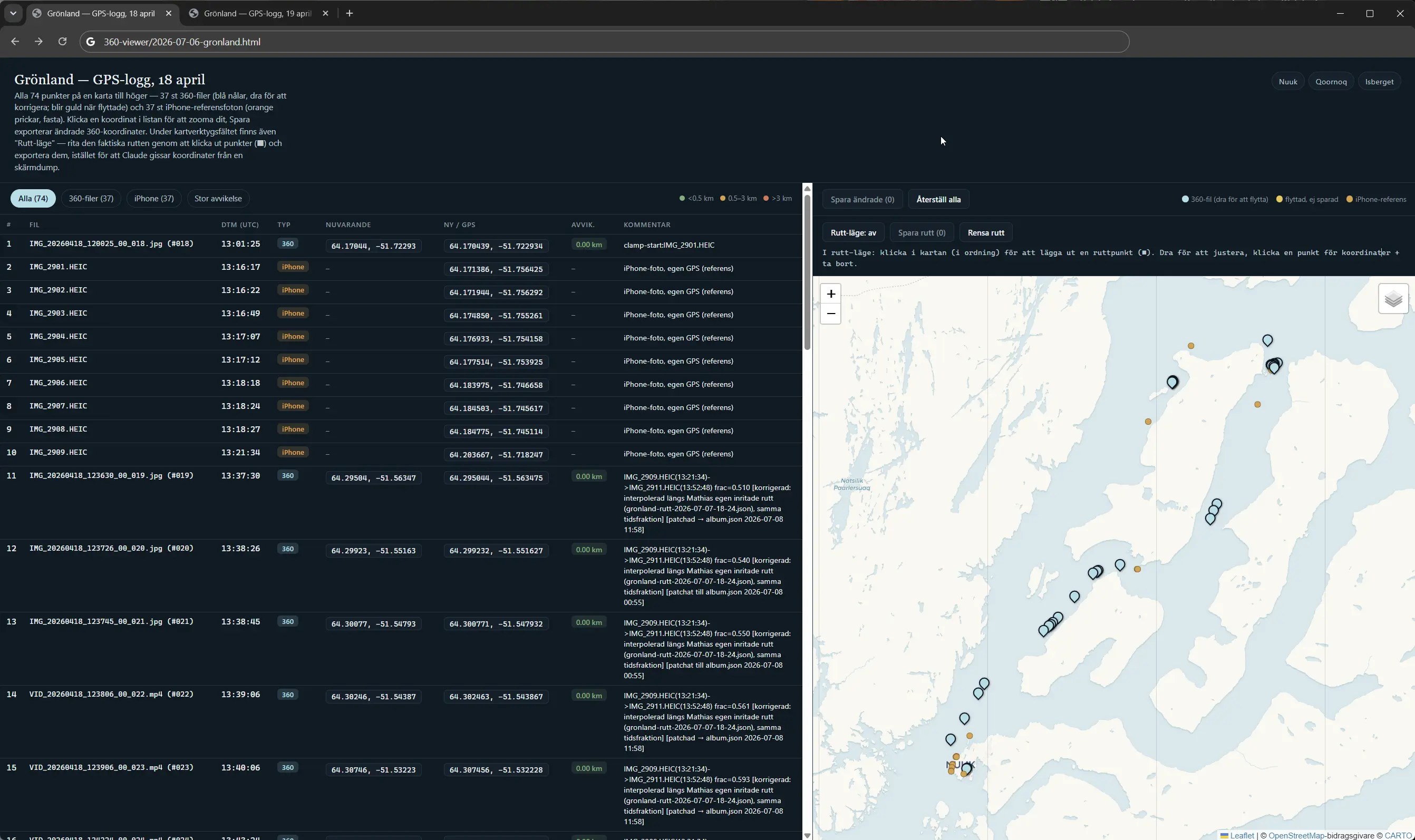
The GPS review map — a day in Greenland, every file draggable into place next to the phone's reference track. Click to see it in full. - An original-preserving pipeline — camera timestamps survive every step, pristine masters are archived before any edit, and web renditions are generated per resolution so the viewer always gets the right file.
- In-browser video trimming — the admin can cut unwanted parts out of a
published 360° clip directly on the NAS, losslessly (stream-copy), with live progress and
an automatic backup of the untouched original.
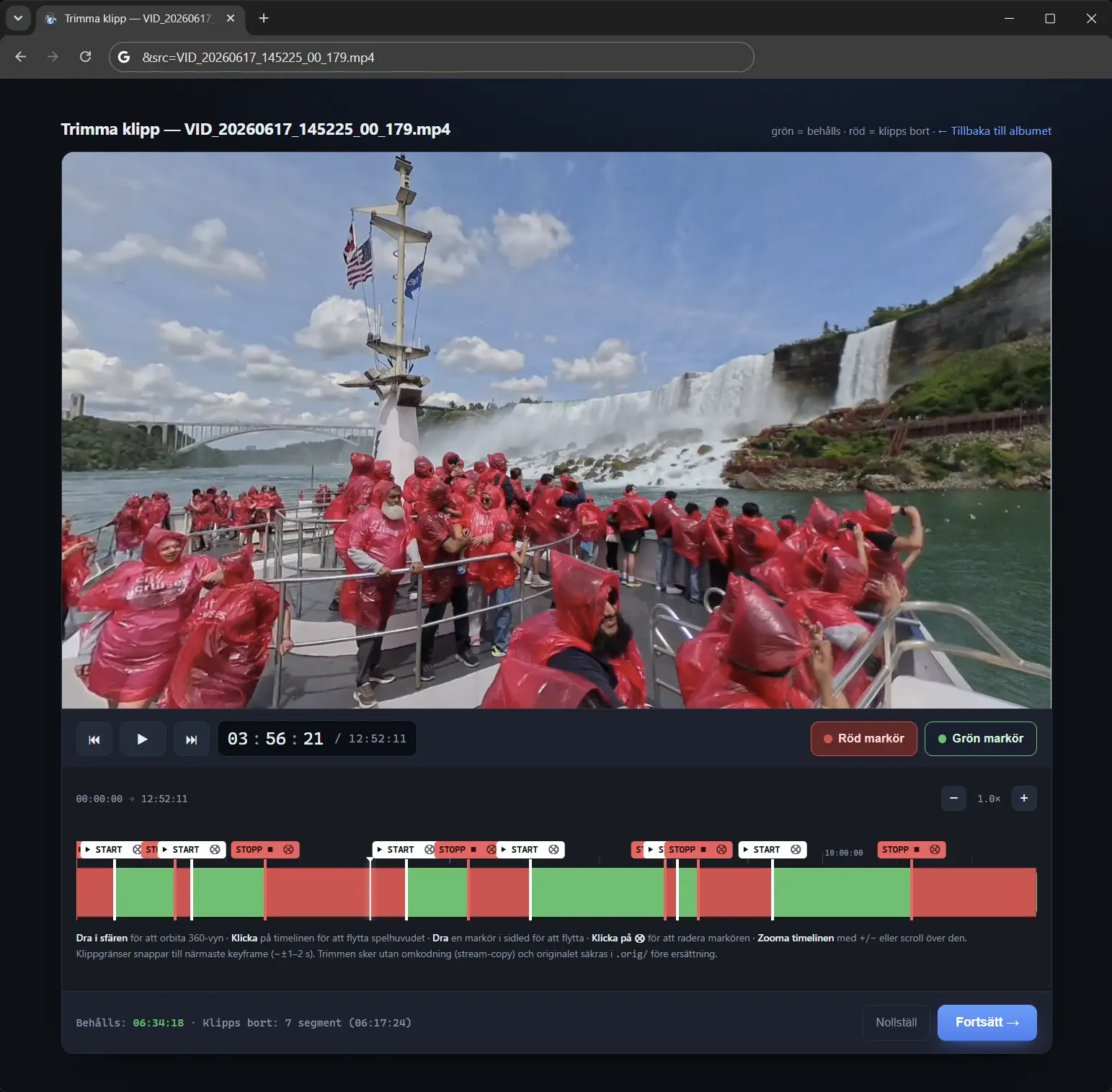
The trim tool at work on a Niagara Falls clip — green stays, red goes. Click to see it in full. - AI-assisted retouching — a workflow that removes the photographer from
the nadir of complex scenes while keeping neighbouring shadows intact.

Reviewing a retouch — the original and two AI candidates orbit in perfect sync, photographer gone. Click to watch it in full. - At-home ergonomics — add-to-homescreen fullscreen viewing on iPhone and an admin UI for all of the above.
